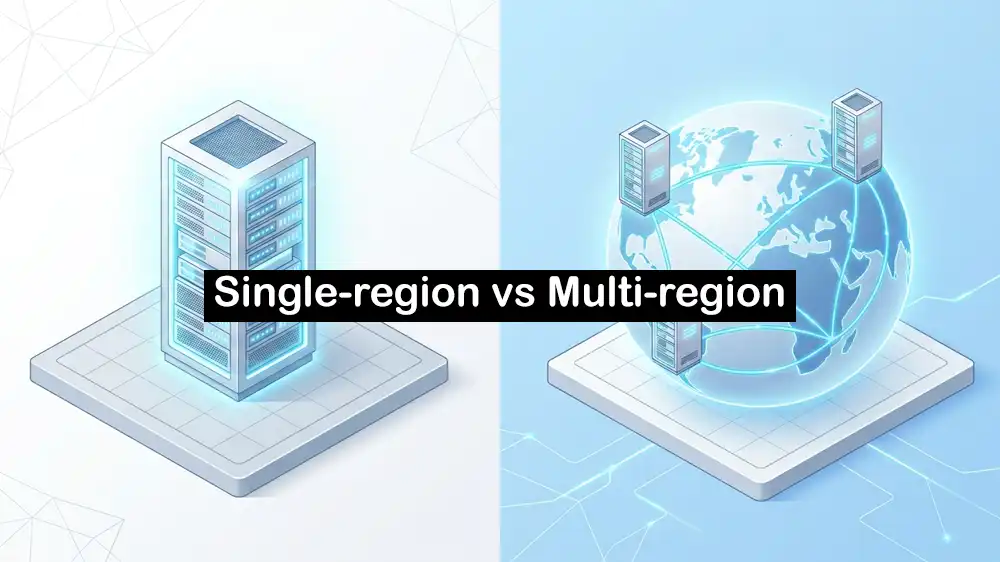
Single-Region vs Multi-Region Dedicated Servers: Which One Do You Actually Need?
Setting up a new project or moving an existing one to bare metal hardware is a major step. You get all the CPU, RAM, and storage to yourself without noisy neighbors sharing your resources, and you have to decide where those machines will live. In this guide, we will look at single region vs multi region dedicated servers to help you find what your business really needs.
Table of Contents
What is a Single-Region Setup?
A single-region setup means all your main infrastructure is located in one geographic area. You might have one server, or you might have ten servers connected, but they all sit in the same data center or city. The biggest advantage of a single-region setup is simplicity. When all your backend systems, databases, and web servers sit next to each other, they communicate instantly.
When thinking about single region vs multi region dedicated servers, the single-region way is the easiest method to keep your team small and your costs predictable.
It works best if your main audience is in one specific part of the world.
What is a Multi-Region Setup?
A multi-region setup means you rent servers in two or more different geographic locations. For example, you might have one setup in Europe and an exact copy of it in North America.
When you dig into single region vs multi region dedicated servers, going multi-region is all about getting closer to a global audience and surviving large outages. If an entire data center goes offline because of a natural disaster or a major power failure, your second location can take over.
However, this setup means your engineers have to make sure data is always copied between locations, which requires more advanced networking and software.
Main Differences Between Single Region vs Multi Region Dedicated Servers
To make the right choice, we need to compare how these two setups handle the everyday realities of running a web application. Here are the main differences:
Latency and Audience Distribution
Data takes time to travel across the world. If your only server is in New York, users in Sydney will experience slow loading times. When comparing single region vs multi region dedicated servers, latency is often the primary reason companies add a second location.
If most of your users are in Europe, you do not need multiple global regions; you can rent a high-quality Netherlands dedicated server to get low latency across the whole continent. But if your users are split 50/50 between Europe and Asia, a single location will always leave half of your audience with a slower experience. Multi-region fixes this by routing users to the server closest to them.
Redundancy and Failover
In the comparison of choosing the single region vs multi region dedicated servers, redundancy is the second biggest factor.
A single-region setup can have redundancy if you use multiple servers in the same building, but it will not survive a total regional blackout. A multi-region setup protects you against local disasters. For example, if your primary setup in the Netherlands goes completely offline, you can instantly route your traffic to a backup, low-latency France dedicated server. This is known as disaster recovery.
Cost Considerations
The cost difference between single region vs multi region dedicated servers is huge. When you add a second region, you do not just increase your bill slightly; you usually double your hardware costs.
Also, you have to pay for the bandwidth used to sync data between the two locations. On top of the server bills, you have to account for the extra hours your engineering team will spend building and fixing a more complicated system.
For the cost factor, a single region is always the winner.
Operational Complexity
Writing code for one server location is straightforward. Managing single region vs multi region dedicated servers requires an entirely different set of skills when you choose the multi-region path.
The hardest part is the database; if a user in Europe updates their profile, that change needs to be sent to the servers in North America instantly. If you use an active-active setup, you risk data conflicts. Your team will need to use advanced database clustering or asynchronous replication to keep everything matching.
Also, you have to deploy your code updates to multiple locations safely without breaking any of them.
DNS Routing and Monitoring
To make a global setup work, your network needs to know where to send people. Setting up single region vs multi region dedicated servers means you have to choose how to route traffic.
In a single region, DNS routing is basic; you must point your domain to your server’s IP address.
In a multi-region setup, you have to use Geo-DNS or latency-based routing. These services check where a user is located and send them to the nearest healthy server. You also need an external monitoring system checking your servers from outside your network. If the European network goes down, your DNS needs to detect the failure automatically and send European users to your backup location.
Quick Feature Comparison in Single-region vs Multi-region Hosting
Here is a quick comparison of how the two setups compare across key business needs:
| Feature | Single-Region | Multi-Region |
|---|---|---|
| Setup Difficulty | Low – Easy to deploy and manage. | High – Requires advanced data syncing. |
| Latency | Low for local users, high for distant users. | Low for all users globally. |
| Infrastructure Cost | Base hardware costs. | Double or triple hardware costs. |
| Disaster Recovery | Vulnerable to data center outages. | High resilience to regional failures. |
| Traffic Routing | Standard DNS pointing. | Geo-DNS and Anycast routing needed. |
When to Choose Single or Multi-Region
Choosing between single region vs multi region dedicated servers depends on your audience, your team size, and your uptime requirements.
You should pick a single-region setup if:
- Your app does background processing or data crunching where user latency does not matter.
- Your customer base is concentrated in one geographic area.
- Your team is small and does not have a dedicated database administrator or DevOps engineer.
- Your budget is tight, and you want the most CPU and RAM for your dollar.
You should pick a multi-region setup if:
- You have a global user base that expects fast loading times.
- Your business handles critical data and cannot afford to go offline during a data center outage.
- When evaluating single region vs multi region dedicated servers, you realize your team has the skills to manage distributed databases.
- You want an active backup location, like a reliable Germany dedicated server, ready to take over traffic instantly if your primary site fails.
Setting Up for Growth
Most businesses start in a single location. It is the smartest way to prove your product works and build your initial user base without wasting money on servers sitting empty. As your traffic grows and users complain about slow speeds in other countries, you can begin the process of adding a second location.
Understanding the trade-offs of single region vs multi region dedicated servers helps you plan this growth early.
You can pick one location close to most of your users. Set up your servers, make sure your database works well, and check that your backups are ready. When everything is stable, you can repeat the same setup in other locations. If you want a step-by-step guide on how to connect these locations properly, check out this guide on multi-region hosting architecture.
We hope you enjoy this guide. If you are ready, you can build your first or multi-region dedicated setup with PerLod.
Subscribe to our X channel to get the latest hosting trends.
FAQs
What is the main difference between single region vs multi region dedicated servers?
A single-region setup hosts your application in one physical location, while a multi-region setup copies your application across data centers in different parts of the world to improve speed and reliability.
Is a single-region server always cheaper than a multi-region server?
Yes. Running servers in one location requires less hardware, less data transfer, and less engineering time compared to syncing data across multiple locations.
When should I upgrade to multi-region hosting?
You should upgrade when a large part of your users complain about slow loading times due to physical distance, or when your business simply cannot afford the downtime caused by a local data center failure.

