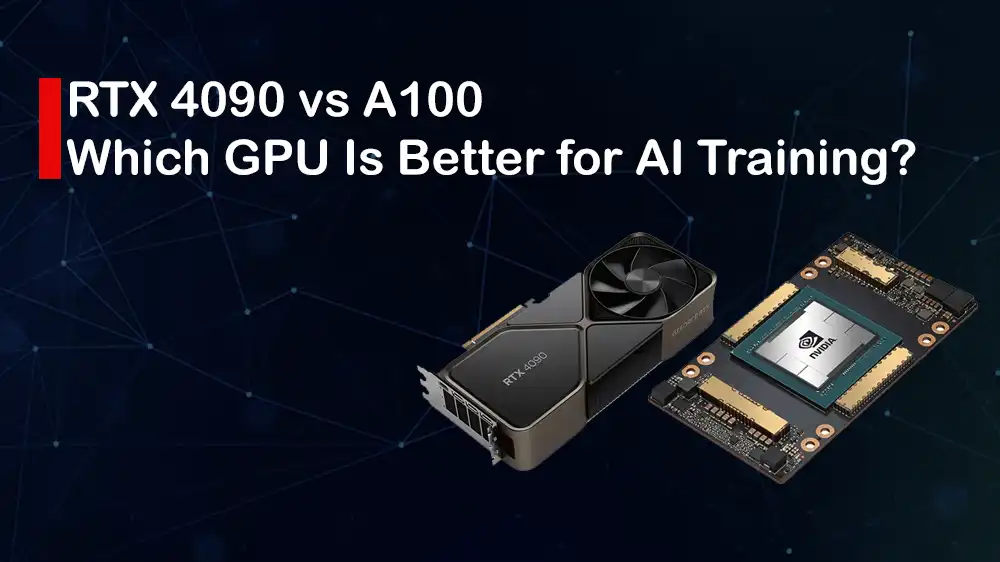
NVIDIA RTX 4090 vs A100 GPUs: Consumer vs Datacenter for Deep Learning
Choosing the right GPU for AI training is one of the most essential decisions that you can make. In this guide, we want to focus on RTX 4090 vs A100 GPU. The NVIDIA RTX 4090 and the NVIDIA A100 are made for different kinds of users; the 4090 is a top-end graphics card for regular computers and gaming, while the A100 is a powerful server card designed for big AI and datacenter work.
When it comes to training AI models, the decision is about memory capacity and bandwidth, software and driver stability, multi-GPU scaling, reliability, and the exact nature of the model and workflow you plan to run.
At PerLod Hosting, we provide high-performance GPU servers, which make advanced AI architecture accessible to developers and businesses. In this guide, we will explore the key hardware differences between RTX 4090 and A100 to help you make an informed choice.
Table of Contents
Architecture Overview of NVIDIA RTX 4090 vs A100 GPU
The core of any powerful AI architecture is its GPU Dedicated Server. The RTX 4090 and A100 are both top-tier GPUs, but they are built with completely different goals.
NVIDIA RTX 4090: Consumer and prosumer GPU
The RTX 4090 is based on NVIDIA’s Ada Lovelace architecture, which is made for high-end desktop users and people running smaller-scale AI work. It focuses on very high speeds from a single GPU, using fast GDDR6X memory, though with limited capacity compared to server GPUs.
Ada Lovelace improves ray tracing and traditional graphics performance, and it includes upgraded Tensor Cores that speed up AI math. The RTX 4090’s main advantages are its strong compute power and extremely high FP32/FP16 performance for the price.
NVIDIA A100: Datacenter GPU
The A100 belongs to NVIDIA’s datacenter lineup and is built for heavy compute and AI tasks. It uses HBM2e memory, which offers much larger capacity and much higher sustained bandwidth. The A100 specializes in multi-precision AI computing, such as bfloat16, TF32, FP16, and INT8, and supports features like MIG, which lets one GPU be split into several smaller, isolated GPU instances for shared environments.
It’s designed for reliability, scaling across many GPUs, and overall datacenter use and management.
Memory Showdown in RTX 4090 and A100 GPUs
You can think of GPU memory (vRAM) as its workspace. The capacity is the size of the desk, which means how many projects can fit on it at once, and the bandwidth is how fast you can move things on and off the desk. For AI training, you need both a big desk and a fast system to avoid waiting.
VRAM Capacity and Practical Limits
Memory size is the most important factor when training large models. If your model, activations, and optimizer states don’t fit in GPU memory, you need workarounds like offloading, model sharding, or gradient accumulation. These add complexity and slow things down, or force you to upgrade to a GPU with more memory.
RTX 4090: Comes with 24 GB of GDDR6X. For many models, including medium-sized transformers, CNNs, and most computer vision tasks, 24 GB is enough, especially when using fp16/bf16 and memory-saving techniques.
A100: Comes in 40 GB and 80 GB HBM2e versions. The 80 GB version is especially useful for very large language models or huge vision models that need large batches or long context windows.
Memory Bandwidth and How it Affects AI Training?
Memory bandwidth determines how quickly data moves between the GPU’s memory and its compute units. HBM in the A100 has much higher sustained bandwidth than GDDR6X in the 4090.
A100 HBM2e: Extremely high bandwidth with hundreds of GB/s more than GDDR6X, which helps Tensor Cores stay fully fed during memory-heavy operations.
RTX 4090 GDDR6X: High bandwidth for a consumer GPU, but still lower than HBM. Great for single-GPU speeds but less ideal for extremely memory-bound workloads.
Raw Computing Power in RTX 4090 and A100
At this point, we want to explore the raw computing power of each GPU. The key difference isn’t just which is faster, but what kind of math they are built to accelerate.
RTX 4090: Very high FP32 performance and strong Tensor Cores for mixed precision. Great for single-GPU tasks that benefit from high clock speeds and dense compute on one card.
A100: Designed for datacenter mixed-precision compute. Its Tensor Cores handle BF16, FP16, TF32, and INT8 extremely efficiently. It delivers higher sustained matrix-multiply throughput, the core operation of deep learning, especially for large models and big batches.
Important Note: TF32, introduced with Ampere, provides an FP32-like range but runs on Tensor Cores. A100 accelerates TF32, making FP32-style training significantly faster for many large models.
Sparse vs. dense compute:
Some datacenter GPUs, including A100 variants, support hardware-accelerated structured sparsity like 2:4 sparsity. This can significantly speed up training when models or kernels are sparsity-aware.
Consumer GPUs like the 4090 don’t get the same level of validated or optimized sparsity support.
Tip: A100 offers higher sustained tensor throughput for large-scale training, while the 4090 provides excellent single-GPU speed at a much lower cost.
Multi-GPU Scaling in RTX 4090 and A100
Multi-GPU training performance depends heavily on how GPUs are connected:
A100: Supports NVLink and NVSwitch in server racks, which provides very high bandwidth and low latency between GPUs. This is essential for efficient scaling in data-parallel and model-parallel training.
RTX 4090: Connects mainly through PCIe. Ada-generation consumer GPUs no longer support NVLink. As a result, multi-GPU setups with 4090s have lower interconnect bandwidth and higher communication overhead, making them less ideal for multi-GPU training.
Both GPUs work with standard distributed-training frameworks such as NCCL, PyTorch DDP, Horovod, and TensorFlow strategies. But performance depends on the interconnect:
- A100 with NVLink and NVSwitch: Much better scaling with lower sync overhead.
- 4090 with PCIe: Higher communication bottlenecks, but reduced efficiency for multi-GPU training.
RTX 4090 vs A100 Features for AI Training
For professional and business use, reliability and efficiency are just as important as raw power. Here are the key features in A100 and RTX 4090 for AI training:
Multi-Instance GPU (MIG):
- The A100 supports MIG, which lets you split one GPU into several smaller and isolated GPUs. This is useful for shared servers, running many small jobs at once, or mixing training and inference safely.
- The RTX 4090 does not support MIG.
ECC Memory and Reliability:
- The A100 uses ECC memory, which helps detect and correct memory errors. This is important for long and critical training runs in data centres.
- Consumer GPUs like the RTX 4090 generally don’t offer full ECC. For large or long-running jobs, ECC improves reliability.
Drivers and Software Stack: Both GPUs work with CUDA, cuDNN, and NCCL.
- A100 uses enterprise-grade drivers built for stability in datacenters.
- 4090 works fine for most research, but driver management can be more hands-on for multi-GPU or production environments.
Which Workloads are each RTX 4090 and A100 GPUs best suited for?
The best GPU depends entirely on your project’s size and goals. Here are the most common workloads and the best GPUs they can use:
Large Language Models (LLMs): For training LLMs, the A100, especially the 80GB model, is the best choice. Because it needs lots of memory and bandwidth.
Vision Models: For most computer vision work, such as ResNets, EfficientNets, and many ViTs, the 4090 is excellent. It’s fast and much cheaper, which makes it ideal for rapid experimentation.
Reinforcement Learning (RL): RL often depends on CPU-GPU interactions and many small models. The 4090 is cost-effective for this, but for production-grade RL pipelines, A100 clusters offer more stability.
Inference vs. Training:
- Inference: 4090 is great for many inference workloads, especially with TensorRT and FP16/INT8. A100 is best when serving many models or extremely high throughput.
- Training: 4090 is strong for small to medium models; A100 is better for large models and high-scale environments.
Cost Comparison and TCO in RTX 4090 and A100 GPUs
Don’t just look at the price of the GPU; you must also consider the cost to power and cool it.
RTX 4090 is cheaper and offers great performance per dollar; on the other hand, A100 is very expensive, but built for datacenters, clusters, and enterprise support.
Running multiple 4090s in a rack can be challenging due to heat, PCIe limits, and airflow, while A100 servers are purpose-built for this.
When To Choose RTX 4090 and A100 GPUs?
If you don’t know which one to choose, here are the simple recommendations:
Choose RTX 4090 if:
- You’re an individual, small lab, or startup.
- Your model fits within ~24GB or can be optimized to fit.
- You want the best performance for the price.
- You don’t need ECC, MIG, or large multi-GPU scaling.
It has excellent value, fast integration, and it is widely available. But it has limited VRAM and weak scaling across multiple GPUs.
Choose A100 if:
- You’re running in a datacenter or cloud environment.
- You need 40–80GB of HBM memory.
- You train large models or rely on NVLink multi-GPU setups.
- You need enterprise reliability, ECC, and MIG.
It has huge memory and bandwidth, best multi-GPU scaling, and is built for 24/7 workloads. But it is very expensive and requires datacenter-grade infrastructure.
VRAM Usage Patterns and Memory Optimization
Running out of VRAM is the most common issue in AI training. You must learn how to identify the bottleneck and apply memory-saving techniques.
Typical signs of memory bottlenecks include:
- Out-of-memory (OOM) errors.
- Needing small batch sizes.
- Lots of slow CPU and GPU transfers.
Tools like PyTorch profiler, Nsight Systems, or nvidia-smi help diagnose these problems.
If you still hit OOM even with FP16, you may need model parallelism, checkpointing, or a GPU with more memory, like the A100.
Here are the memory-saving techniques:
- Mixed precision like fp16 and bf16: Cuts memory use roughly in half.
- Activation checkpointing: Saves memory by recomputing activations during backward.
- Gradient accumulation: Simulate large batches with less memory.
- Offloading (CPU and NVMe): Move optimizer states off-GPU, but adds I/O overhead.
- Model sharding and pipeline parallelism: Split model across GPUs; depends on strong interconnect bandwidth.
These methods can let a 4090 train larger models than its 24GB suggests, but at the cost of extra complexity.
FAQs
Can I train a 7B LLM on an RTX 4090?
Yes, in many cases, you can train or fine-tune a 7B model on a 24GB RTX 4090 as long as you use techniques like mixed precision (fp16/bf16), gradient accumulation, and possibly activation checkpointing.
For full-precision training, large batch sizes, or bigger model variants, the A100 is the better choice.
Is mixed precision safe on both RTX 4090 and A100 GPUs?
Yes. Both GPUs support mixed-precision training. A100 supports bf16 and TF32 with strong datacenter-grade optimizations. RTX 4090 supports FP16 acceleration with Tensor Cores. Mixed precision generally works well, but you should still use loss scaling and check for numerical stability during training.
Do consumer GPUs like the RTX 4090 throttle during long training runs?
They can, but it depends on cooling. An RTX 4090 is built to handle heavy, long-running workloads, but if your case airflow, fan curve, or power delivery isn’t good enough, it may slow down to keep temperatures safe.
Final Words
Choosing between the RTX 4090 and the A100 depends on what you need for your AI work. The RTX 4090 is very powerful and much cheaper, making it a great choice for students, developers, and small teams who want fast performance on a single GPU. It works well for medium-sized models, testing ideas, and everyday training projects.
On the other hand, the A100 is designed for big AI tasks. It has more memory, higher bandwidth, and better reliability for long, heavy training jobs. If you are training very large models, using multiple GPUs, or working in a professional or datacenter environment, the A100 is the better option.
Choose the one that matches your budget, your model size, and your future goals.
We hope you enjoy this guide. Subscribe to our X and Facebook Channels to get the latest articles and updates in AI training.

