NVIDIA H100 Hosting: Pricing, Availability and Performance Benchmarks
The NVIDIA H100 GPU is the best standard for AI training and inference in 2025. It is built on the Hopper architecture, which delivers up to 4x faster training and 30x faster inference compared to A100. However, getting access to H100 GPUs is challenging because of supply chain bottlenecks and limited production capacity.
This guide provides everything you need to know about H100 GPU hosting, from technical specifications and performance benchmarks to availability challenges and cost-effective hosting solutions like PerLod Hosting.
Table of Contents
What is the NVIDIA H100 GPU?
The NVIDIA H100 is a data center GPU built on the Hopper architecture, designed specifically for AI training, inference, and high-performance computing workloads.
It powers AI systems from leading companies like OpenAI, Meta, and Stability AI, which makes it the backbone of modern generative AI.
The NVIDIA H100 has advanced core features that make it a better option than A100, including:
- Transformer Engine with FP8: Doubles throughput for transformer models like GPT and LLaMA.
- HBM3 Memory: 3.35 TB/s bandwidth removes bottlenecks in memory-bound inference
- NVLink Gen4: 900 GB/s GPU-to-GPU interconnect enables near-linear multi-GPU scaling.
- Confidential Computing: Secures data-in-use for regulated workloads.
These features make the H100 best for training and serving trillion-parameter models at production scale.
H100 Technical Specifications
Knowing the H100’s specifications helps you find if it’s the right GPU for your workloads.
1. Core architecture includes:
- GPU Architecture: NVIDIA Hopper
- Manufacturing Process: TSMC 4N
- CUDA Cores: 14,592
- Tensor Cores: 456 fourth-generation Tensor Cores
- Streaming Multiprocessors: 132
- Base Clock: 1,755 MHz
- Boost Clock: 1,980 MHz
2. Memory and Bandwidth:
| Specification | H100 SXM | H100 PCIe | H100 NVL |
|---|---|---|---|
| GPU Memory | 80 GB HBM3 | 80 GB HBM3 | 94 GB HBM3 per GPU |
| Memory Bandwidth | 3.35 TB/s | 2 TB/s | 3.9 TB/s per GPU |
| Memory Interface | 5,120-bit | 5,120-bit | 6,144-bit |
| L2 Cache | 50 MB | 50 MB | 50 MB |
3. Compute Performance:
| Precision | H100 SXM | H100 PCIe | H100 NVL (Dual GPU) |
|---|---|---|---|
| FP64 | 34 TFLOPS | 26 TFLOPS | 68 TFLOPS |
| FP32 | 67 TFLOPS | 51 TFLOPS | 134 TFLOPS |
| TF32 Tensor Core | 989 TFLOPS | 756 TFLOPS | 1,979 TFLOPS |
| FP16/BF16 Tensor Core | 1,979 TFLOPS | 1,513 TFLOPS | 3,958 TFLOPS |
| FP8 Tensor Core | 3,958 TFLOPS | 3,026 TFLOPS | 7,916 TFLOPS |
4. Power Requirements:
| Model | Thermal Design Power (TDP) |
|---|---|
| H100 SXM | Up to 700W |
| H100 PCIe | 300-350W |
| H100 NVL | 350-400W per GPU |
H100 Form Factors: SXM vs PCIe vs NVL
The H100 comes in three primary form factors, each designed for different use cases and infrastructure requirements, including H100 SXM, H100 PCIe, and H100 NVL (NVLink).
H100 SXM (Socket Module):
H100 SXM is designed for maximum performance in high-density data center environments. It is best for enterprise AI training, large language model development, and multi-GPU clusters, which require maximum interconnect bandwidth.
The key features include the highest performance with 700W TDP, full NVLink 4.0 support with 900 GB/s bandwidth, all-to-all GPU connectivity via NVSwitch, requires specialized HGX/DGX baseboard infrastructure, and is best for large-scale distributed training workloads.
H100 PCIe:
The PCIe form factor offers flexibility and compatibility with standard server infrastructure.
It has a 350W TDP for easier thermal management and works with standard PCIe Gen5 slots. Also, it has lower memory bandwidth, and the NVLink bridge connects only pairs of GPUs.
H100 PCIe is best for inference workloads, smaller training jobs, organizations with existing server infrastructure, and cost-conscious deployments.
H100 NVL (NVLink):
The NVL combines two GPUs with NVLink for extreme LLM inference performance. The key features include:
- 188 GB combined HBM3 memory.
- 7.8 TB/s combined memory bandwidth.
- Optimized for large language model deployment.
- Up to 12x faster inference vs A100 for GPT-3.
- Dual-slot air-cooled design.
It is best for LLM inference, ChatGPT-scale deployments, and real-time AI applications.
H100 Performance Benchmark
The H100 hosting provides real-world performance improvements across AI training and inference workloads. Here is a training performance comparison between H100 and A100:
| Metric | H100 | A100 | Improvement |
|---|---|---|---|
| Training Throughput | Up to 2.4x faster | Baseline | 2.4x |
| FP32 Performance | 3x higher | Baseline | 3x |
| CUDA Cores | 14,592 | 6,912 | 2.7x more |
| Memory Bandwidth | 3.35 TB/s | 2 TB/s | 67% higher |
| NVLink Bandwidth | 900 GB/s | 600 GB/s | 50% higher |
NVIDIA’s benchmarks show the H100 delivers 3x to 4x faster training and inference compared to the A100.
Availability Challenges of H100 in 2025
Access to H100 GPUs has some challenges for many organizations. The demand for H100 GPUs is much higher than the current supply, which makes them hard to get and keeps prices high.
Big tech companies, AI labs, and even governments are all trying to buy the same chips, and some are willing to pay extra just to secure stock.
On the manufacturing side, advanced packaging steps and key components are still a bottleneck, because only a few factories in places like Japan and Taiwan can produce them in the required quality and volume.
In 2023, wait times for H100 systems could reach 8–11 months, dropped to about 3–4 months in early 2024, and in 2025, many buyers still see lead times of roughly 10–14 weeks, while direct orders from NVIDIA can stretch past six months.
Cloud providers have improved things by adding more H100 capacity, letting customers schedule rentals, and expanding to more regions, but getting large clusters for LLM training can still take months.
This affects users differently:
Hyperscalers can usually lock in big allocations, enterprises often need long contracts and upfront payments, startups may struggle to compete on budget, and researchers still find it hard to access big GPU pools for experiments.
To fix these issues, teams can squeeze more out of their existing hardware, look at smaller or alternative GPU cloud providers, use other powerful GPUs like A100 or AMD MI300X where they fit the workload, or move long‑running projects to dedicated GPU servers from hosts such as PerLod for more predictable access.
How to Choose an H100 Hosting Provider?
Choosing an H100 hosting provider is not just about raw GPU speed; you also need to look closely at how you pay, how fast you can get capacity, and how well the platform fits your stack.
The best decision framework should cover the pricing model, expected lead times, the exact H100 form factor you need, the quality of networking for multi-GPU training, and whether the software environment is ready for your workloads.
Key factors to consider:
- Pricing Model
- Availability and Lead Time
- Form Factor
- Networking
- Software Stack
Why Consider PerLod for GPU Hosting?
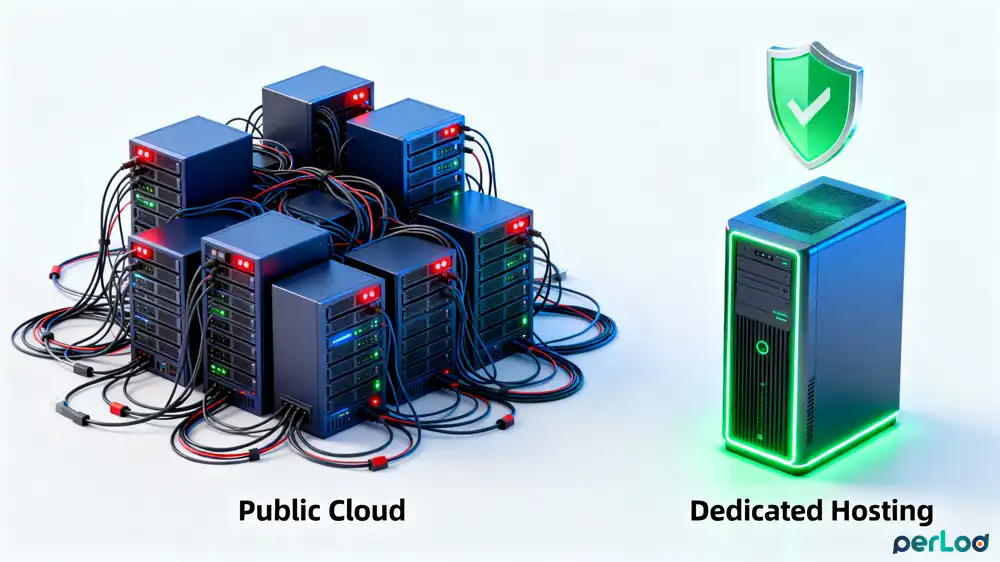
For long-running AI workloads, dedicated GPU servers from PerLod Hosting offer several advantages over hourly cloud pricing:
- Zero Virtualization Overhead
- Predictable Monthly Pricing
- Full Hardware Control
- Various GPU Server Options
- Global Datacenters
- Unlimited Bandwidth
- 99.9% Uptime SLA
- Fast Deployment
- Crypto Payments
- Privacy-Friendly
For example, for a 30-day continuous training job using an RTX 4090, PerLod dedicated GPU server cost is ~$512 per month.
FAQs
How long is the current wait time for H100 GPUs?
Lead times have improved from 8-11 months in 2023 to 3-4 months in late 2024. However, availability differs by provider and region.
How much does it cost to train a large language model on H100?
Costs are different by model size. For small models (1-7B): $50-$500, medium models (13-30B): $500-$3,000, and large models (70B+): $10,000-$50,000.
What’s the cheapest way to access H100 GPUs?
Budget providers offer the lowest hourly rates. For continuous workloads, monthly dedicated GPU servers can be more economical than hourly cloud.
Final Words
The H100 Hosting is a huge step forward for AI computing, but the best hosting option still depends on what you are running, how much you can spend, and how quickly you need capacity.
For teams that struggle to get H100s from clouds or want stable, predictable costs for long-running jobs, dedicated GPU server providers like PerLod are a strong alternative to traditional cloud platforms.
We hope you enjoy this guide. Subscribe to our X and Facebook channels to get the latest updates on GPU and AI hosting.

